Trust Center guide
If you're evaluating a vendor that uses HodeiShield, they may have shared their Trust Center with you: a public page showing their security and compliance posture. You don't need an account to view it.
What you can see without signing up
The Trust Center shows certifications, a security posture summary, and public documentation from the vendor. Some content is open directly; other parts may be gated and ask you to accept a non-disclosure agreement (NDA) or request access before showing it to you.
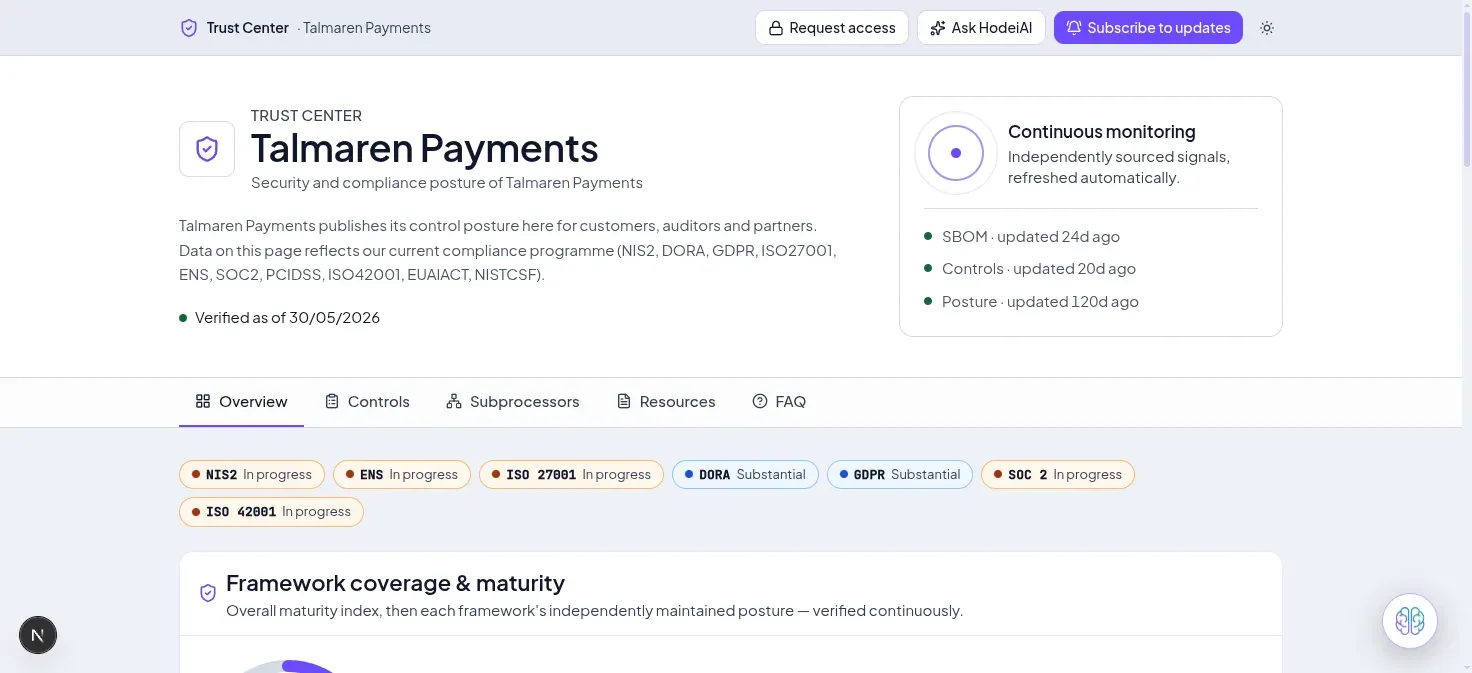
A public Trust Center: which frameworks it covers, how recently it was verified, and which tabs you can explore without an account.
Subscribing to updates
You can leave your email to get notified when the vendor publishes new documentation — for example, a renewed certificate or an additional report. Subscribing requires confirming your email (double opt-in), and you can unsubscribe at any time from the email itself, no password needed.
Requesting access to gated content
If a document is gated, you can request it directly from the Trust Center. Depending on how the vendor configured it, access is granted automatically once you accept the NDA, or it's held for manual review.
What an access request asks of you
A request carries your email and, if you wish, your company. If the vendor requires a non-disclosure agreement, you must accept it to submit the request. So that it does not reveal what the Trust Center contains, the confirmation you see on submitting does not say whether access has already been granted.
Checking an attestation
If the vendor has published a posture attestation, you can check on your own that it is authentic and current, with no account and offline, using the attestation verifier. An attestation proves integrity, origin and date, not the truth of what it states, and it does not replace an audit.